
What to Look for in a Beginner MIDI Controller: Complete Buying Guide

A beginner MIDI controller should have 25-49 keys, basic drum pads, a few knobs, and plug-and-play USB connectivity that works with your music software right out of the box. You don’t need expensive features when you’re just starting out.
This guide will walk you through what to look for in a beginner MIDI controller. You’ll learn how to choose a MIDI controller that fits your budget, your space, and your music goals without wasting money on things you won’t use.
How to Choose a MIDI Controller: Feature Comparison Table
Below is a simple MIDI controller feature comparison for beginners.
| Feature | Why It Matters | What to Look For |
|---|---|---|
| Number of Keys | Sets your playing range and desk space needs. | 49 keys for flexibility, 25 keys for travel. |
| Pads | Key for drums, beats, and samples. | At least 8 velocity-sensitive pads. |
| Knobs / Faders | Hands-on control of software settings. | 8 knobs minimum for real control. |
| Key Action | Changes how the keys feel under your fingers. | Synth-action for electronic music, semi-weighted for piano. |
| Connectivity | How the controller links to your computer. | USB class-compliant (plug and play). |
| Bundled Software | Saves money on music programs. | Look for a DAW or virtual instruments. |
What Is a MIDI Controller and Why Do You Need One?
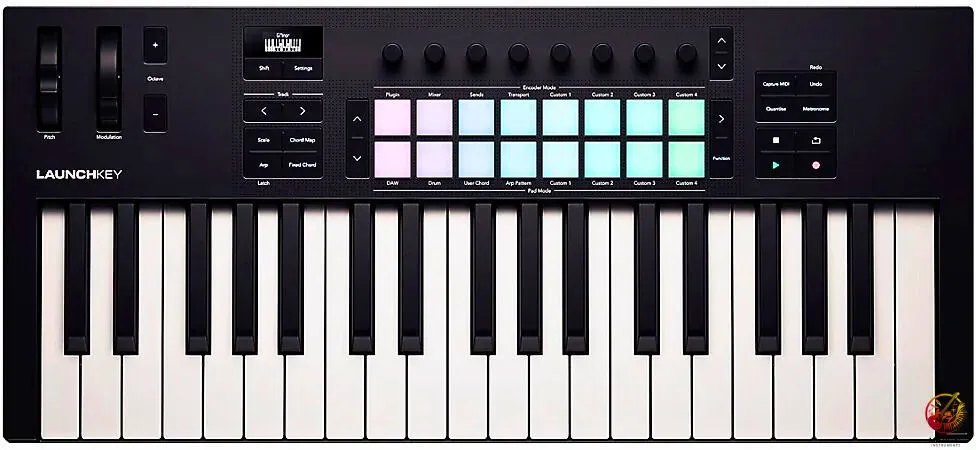
A MIDI controller does not make sound by itself. It is a device used to control music software on a computer. It works like a smart keyboard for your computer. When you press a key, it sends a message. Your music software then makes the sound.
This is different from a piano or keyboard. Those have speakers and built-in sounds. A MIDI keyboard for beginners is lighter and costs less. It lets you use many instrument sounds on your computer.
You need one to make music easily on a computer. Using a mouse is slow. A MIDI controller helps you play, record, and create music faster.
How Many Keys Should Your First MIDI Controller Have?
The number of keys on a MIDI controller you choose as a beginner affects both your playing space and what kind of music you can make comfortably.
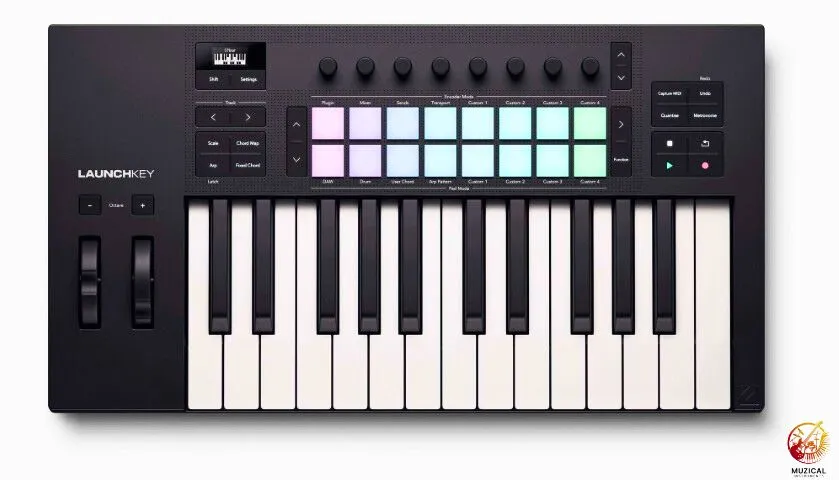
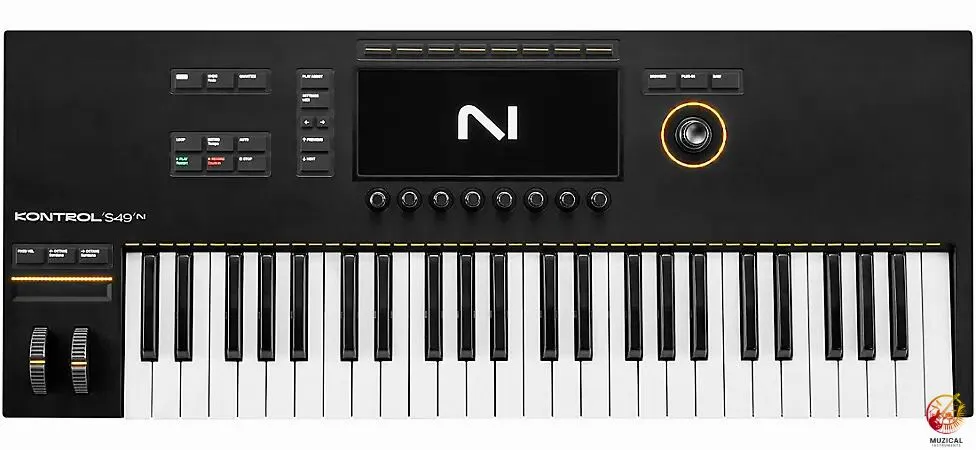
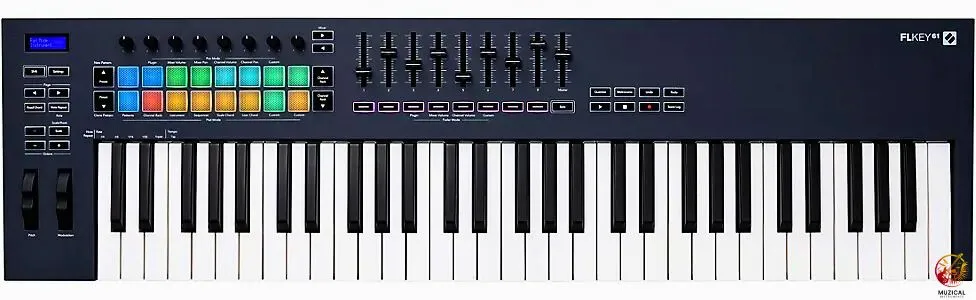
Here’s what each size offers:
25 keys fit on any desk. They’re perfect if you play single melodies, bass lines, or drum patterns. Electronic music producers love these because they take up almost no space. But you can’t play full chords or piano pieces easily.
49 keys give you four octaves. This is the sweet spot for most beginners. You can play chords with your left hand and melodies with your right. You have enough range for most songs without the controller taking over your entire desk.
61 keys work great if you’re coming from piano lessons. You get five octaves, which covers most sheet music. The downside? They need more desk space and cost more money.
88 keys are full-sized piano controllers. Unless you’re a serious piano player who needs weighted keys, skip these as a beginner. They’re expensive and take up too much room.
Most first MIDI controller purchases land on 49 keys. It’s not too big, not too small, and you won’t outgrow it quickly.
What Are Pads and Knobs, and Do You Need Them?
Pads and knobs on a MIDI controller help you do more than play notes. They make music creation faster and more fun.
Drum pads are the square buttons on the controller. You tap them to play drum sounds or short clips. Hit them soft for quiet sounds. Hit them hard for loud ones. If you like beats or loops, pads are very useful. Most beginner controllers have 8 or 16 pads. Eight is enough to start.
Knobs are the round dials. You turn them to change volume, tone, or effects in your software. This saves time because you use your hands, not the mouse.
Some controllers also have sliders. They work like knobs but move up and down.
Pads are more useful than many beginners expect. If you can, choose a small MIDI controller with at least 8 pads.
For beginners, pads and knobs help you make music faster.
Should You Get a USB MIDI Controller or Something Else?
A USB MIDI controller connects to your computer with one simple cable. That same cable gives it power and sends note data. You do not need batteries or extra gear.
This is best for beginners. You plug it in, and it works. Most computers find it right away.
Some controllers use old round MIDI cables. These need extra boxes and power. That makes setup harder.
Wireless MIDI also exists, but it can feel slow. You may hear sound a bit late.
Stick with USB. It is fast, easy, and very reliable. This is why most beginners choose a USB MIDI controller.
What MIDI Controller Features Actually Matter for Beginners?
Some features really matter. Others just sound fancy. Here is how to tell the difference.
Velocity sensitivity
This is a must. It means the key knows how hard you press it. Soft press means quiet sound. Hard press means loud sound. This makes your music feel real. Always check for this feature.
Octave buttons
These are very helpful. They move the keys higher or lower. With them, even a small keyboard can reach all piano notes. You just switch ranges.
Pitch bend and mod wheels
Pitch bend and mod wheels sit on the left side. Pitch bend lets notes slide up or down. Mod adds a wobble or effect. You may not use them on day one, but you will later.
Aftertouch
Aftertouch reacts when you press harder after a key is down. It adds extra feeling. Most beginners do not need it.
Bundled software
Free software matters a lot. Many controllers come with music programs. These can save you a lot of money.
What’s the Difference Between Cheap and Expensive MIDI Controllers?
Price does not always mean better for beginners. What matters is how the controller feels and works for you.
Cheaper controllers often use light plastic keys. They play fine, but they can feel hollow. Mid-range models have stronger keys that feel nicer under your fingers. High-priced ones may feel like a real piano, but most beginners do not need that.
As price goes up, you get more features. Low-cost models may only have keys. Mid-range ones add pads and knobs. Expensive ones add even more controls and screens.
Key feel also changes. Light keys are good for beats and electronic music. Heavier keys help if you want to play piano sounds.
For your first controller, keep it simple. Buy one you can afford and enjoy using.
Best Beginner MIDI Controller Options at Different Price Points
Let me give you some real examples so you know what to expect. This range covers most best beginner MIDI controller options.
| Price Range | What You Get | Example Type |
|---|---|---|
| Under $100 | 25 keys, basic pads, USB power, simple software bundle. | Perfect for testing if music production is for you. |
| $100–$200 | 49 keys, 8–16 pads, 8 knobs, better software, decent build quality. | The sweet spot for serious beginners. |
| $200–$400 | 61 keys or a premium 49-key controller with semi-weighted keys, more controls, and professional software. | For committed beginners with a budget. |
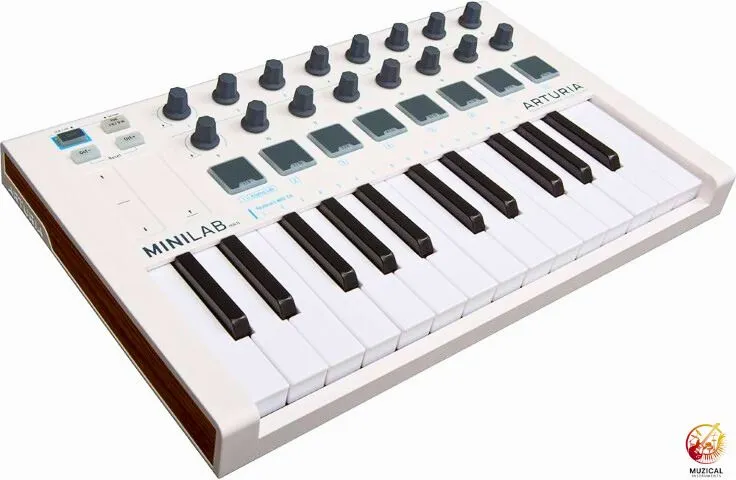
The Arturia MiniLab series gives you keys, pads, and knobs in a tiny package. It’s under $100 and comes with thousands of sounds.
The Novation Launchkey series offers different sizes (25, 37, 49, 61 keys) with great pad integration, usually around $199–$249 for the smaller models. They work especially well with Ableton Live.
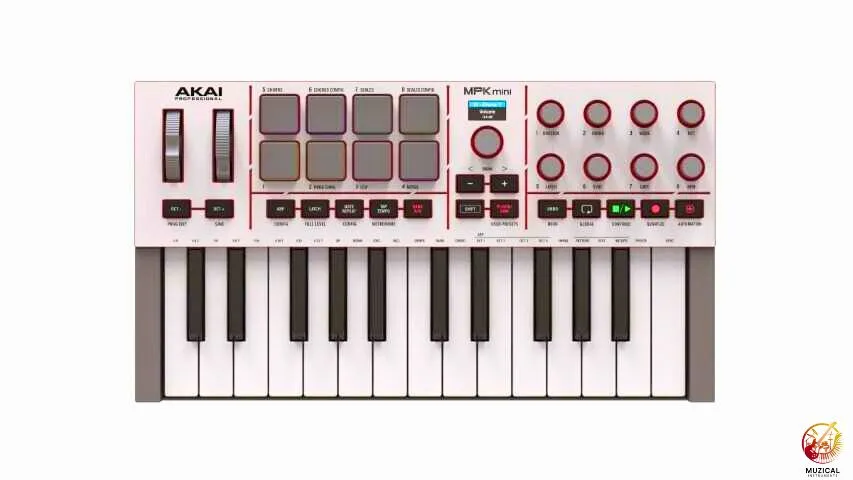
The Akai MPK Mini is famous for good reason. It’s small, affordable (about $99), and has everything you need to start. It’s probably the most recommended first MIDI controller worldwide.
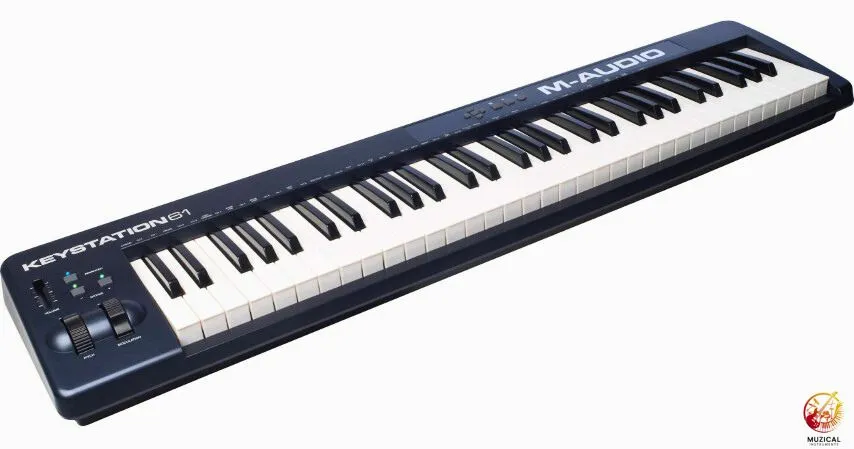
The M-Audio Keystation line focuses on keys without pads or knobs, and basic models sit near $140–$170 on average. If you just want to play melodies and chords, these are budget-friendly.
These are popular beginner choices, not sponsored recommendations.
Don’t stress too much about picking the “perfect” one. Any controller from a known brand (Akai, Novation, Arturia, M-Audio, Native Instruments) will serve you well.
MIDI Controller Buying Tips for Beginners: Your Pre-Purchase Checklist
Before you click “buy,” run through this list:
- Measure your desk space. Know exactly how much room you have. Controllers look smaller in pictures.
- Check your computer’s USB ports. Do you have enough? Do you need a USB hub?
- List the software you use or plan to use. Confirm the controller works with it (it almost certainly does, but check anyway).
- Set a realistic budget. Include the controller, any needed cables, and possibly a laptop stand to raise your screen so the controller fits underneath.
- Watch multiple video reviews. Hearing and seeing the controller in action helps more than reading specs.
- Consider where you’ll use it. Bedroom studio? College dorm? Small apartment? Your space situation matters.
- Think one year ahead. Will this controller still work for you when you’ve learned more? You don’t want to outgrow it in three months.
Setting Up Your First MIDI Controller: What to Expect
Setup is usually easy. Plug the USB cable into your computer. Your computer should see the controller in a few seconds. Open your music software. Go to settings. Choose your controller from the MIDI list. You’re ready to play.
Some controllers ask you to install extra software. This only takes a few minutes. You may need a code from the box or email.
Feeling confused at first is normal. Everyone feels that way. A short setup video can help a lot.
If it does not work, don’t panic. Try another USB port or cable first.
Common Mistakes Beginners Make When Buying MIDI Controllers
Buying too small
A 25-key controller looks handy. But many people outgrow it fast. If you have space, 49 keys feel much better to play.
Ignoring the software bundle
Some controllers cost a bit more. They include free music software worth much more. Always check what comes in the box.
Chasing flashy lights
Bright pads look fun. But lights do not improve sound. Good keys matter more than colors.
Skipping the return policy
Controllers feel different in real life. Buy from a store that allows easy returns.
Not reading real reviews
Brand pages sound perfect. Real users share problems and long-term issues.
Buying used without testing
Used gear can fail. Press every key, pad, and knob before you buy.
Maintaining Your MIDI Controller for Long-Term Use
MIDI controllers are pretty low-maintenance, but a few habits keep them working longer.
- Keep drinks away from your controller. Spills ruin electronics fast. Coffee and keyboards don’t mix.
- Dust under the keys with compressed air every few months. Dust buildup makes keys stick or stop working.
- Don’t press too hard on pads. They’re sensitive enough that you don’t need to smash them. Gentle but firm playing lasts longer.
- Unplug your controller if you’re not using it for weeks. This prevents power surge damage if your area has electrical storms.
- Transport it carefully. If you’re moving your controller between locations, get a padded case or gig bag. Keys and knobs can break if the controller gets knocked around.
Most quality controllers last 5-10 years with basic care. They don’t have many moving parts, so they’re more durable than you might think.
What to Look for in a Beginner MIDI Controller: Final Thoughts
Choosing your first MIDI controller doesn’t have to be complicated. Focus on the number of keys that fit your desk with basic pads and knobs, make sure it has “velocity sensitivity”, USB connectivity, and decent bundled software. That combination covers 90% of what beginners need.
Don’t worry about getting the most expensive model. The best beginner MIDI controller is the one that fits your space and makes you want to create music every day.
FAQ: What to Look for in a Beginner MIDI Controller
1. What is the difference between a MIDI controller and a regular keyboard?
A regular keyboard (like a Casio) has speakers and sounds built inside it. You turn it on and play. A MIDI controller is different. It has no speakers and makes no sound on its own. It is a remote control that tells your computer what notes to play.
2. Do I need to know how to play piano to use a MIDI controller?
No, you don’t! Many producers use controllers just to tap out drum beats or play simple basslines with one finger. You can also use “Smart Chord” features on many controllers. This lets you press one single key to play a complex chord perfectly.
3. Is 25 keys enough for a beginner?
If you want to make beats, hip-hop, or electronic music, yes. 25 keys are great for basslines and melodies. However, if you want to learn to play traditional songs with two hands, 25 keys will feel too small. You will run out of room quickly.
4. Why is there no sound coming from my MIDI controller?
This is normal! Remember, the controller itself is silent. You must connect it to a computer or tablet and open music software (like GarageBand or Ableton). The sound comes from your computer speakers or headphones, not the keyboard.
5. Can I use a MIDI controller without a computer?
Most beginner controllers need a computer (or an iPad) to work. They get their power from the USB cable plugged into the laptop. There are some advanced controllers that can talk to other hardware synthesizers without a computer, but they are usually more expensive.


