
AKAI MPK Mini IV Review: Is It Worth It for Beginners?

Affiliate Disclosure
This post may contain affiliate links. If you buy through them, I may earn a small commission at no extra cost to you. This helps support the site and keeps our content free for you.
If you prefer not to use affiliate links, you can search products directly on the maker’s site.
The AKAI MPK Mini IV is a smart choice for new music makers. It is small, easy to use, and made for learning fast. Many beginners pick it as their first controller.
This new version fixes old problems from past models. It adds real pitch and mod wheels, better keys, and a clear screen. These changes make practice feel smoother and more fun.
You can start making beats right away without spending too much money. It works well for home recording and simple songs.
In this review, you will learn what makes it special. You will see who it is best for and if it fits your music goals.
At a Glance: AKAI MPK Mini IV Key Features
| Feature | Specification | Why It Matters |
|---|---|---|
| New Controls | Real Pitch & Mod Wheels | Replaces the old joystick for precise, pro-level control over your sound. |
| Connectivity | USB-C & 5-Pin MIDI Out | Connects easily to modern laptops and external hardware synths without dongles. |
| Display | Full-Color OLED Screen | Bright, clear visual feedback for browsing sounds and tweaking settings instantly. |
| Keybed | Gen-3 Dynamic Mini Keys | Improved key action that feels snappier and more responsive than previous models. |
| Smart Modes | Scale, Chord & Arp | “Unplayable” notes are hidden, so you can play clean melodies with ease. |
| Software | Ableton Live Lite 12 | Lets you record, edit, and finish real songs right away. |
| Price | Check Current Price on Amazon | |
What is The AKAI MPK Mini IV?
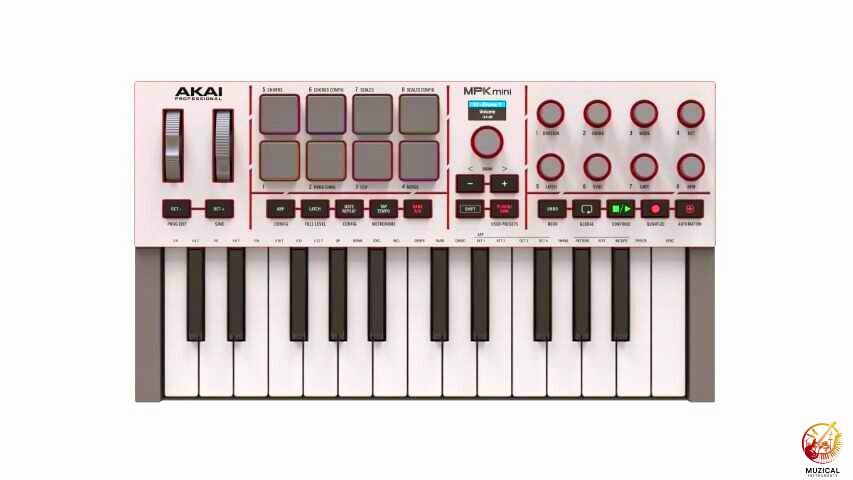
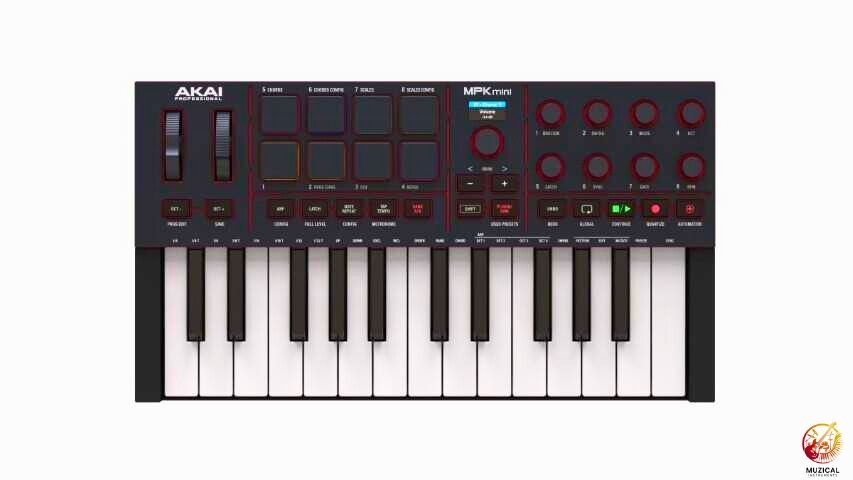
The AKAI MPK Mini IV is a small MIDI keyboard controller. That means it doesn’t make sound on its own. Instead, you plug it into a computer or tablet, and it controls music software like Ableton Live Lite 12 or MPC Beats.
It is small enough to fit in a backpack. You can take it to a friend’s house, a coffee shop, or just use it on your desk. It is the fourth version of Akai’s famous “Mini” series, which has been a favorite for bedroom producers for over a decade.
Why Does This Upgrade Matters?
For years, the MPK Mini series used a little joystick for pitch control. Many users found it hard to use. The AKAI MPK Mini IV replaces that joystick with real pitch and modulation wheels. This makes it feel more like a professional synthesizer.
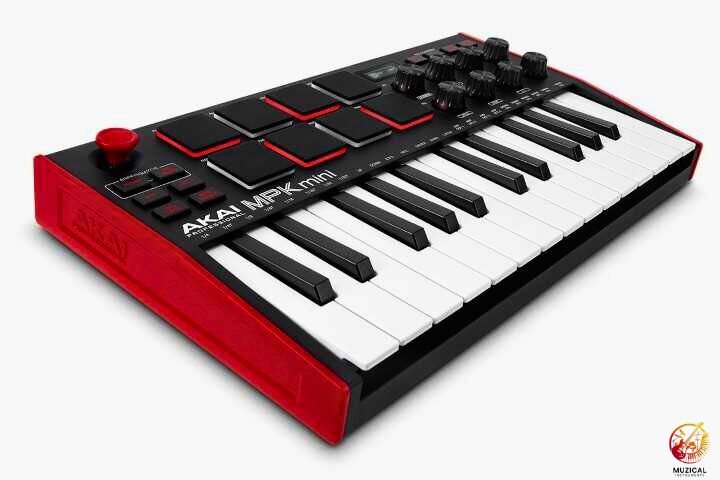
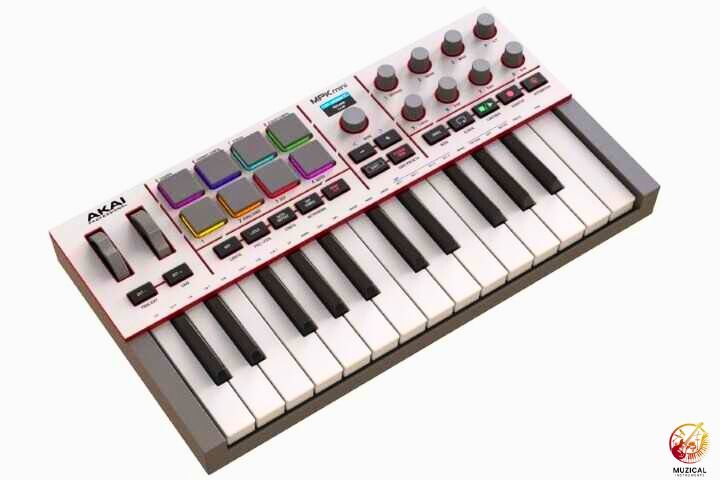
Quick Comparison: MPK Mini Mk3 vs. MPK Mini IV
| Feature | MPK Mini Mk3 (The Classic) | MPK Mini IV (The 2025 Upgrade) | Winner |
|---|---|---|---|
| Price | ~$89 – $99 USD | ~$99 USD | Tie |
| Pitch & Mod | 4-Way Joystick | Real Pitch & Mod Wheels | Mk4 (Precision) |
| Connectivity | USB-B (Printer Cable) | USB-C + 5-Pin MIDI Out | Mk4 (Modern) |
| Display | OLED (Monochrome) | OLED (Full Color) | Mk4 |
| Transport | None (Requires mapping pads) | Dedicated Play / Stop / Rec Buttons | Mk4 |
| Keybed | Gen 2 Dynamic Keybed | Gen 3 Dynamic Keybed (Improved tension) | Mk4 |
| Knobs | 8 Endless Encoders | 8 Endless Encoders (360°)* | Tie |
| Software | MPC Beats + Standard Plugins | MPC Beats + New “Studio Instrument Collection” | Mk4 |
Unboxing and What Comes in the Package?
The AKAI MPK Mini IV arrives in a compact box with clear photos showing the product. Inside, you find:
- The AKAI MPK Mini IV controller
- A USB-C to USB-A cable (5 feet long)
- Quick start guide
- Download cards for free software
The free software bundle includes:
- MPC Beats (AKAI’s own music production software)
- Hybrid 3 by AIR Music Tech (synthesizer with 800+ sounds)
- Mini Grand by AIR Music Tech (acoustic piano sounds)
- 4GB of loops and samples
This software gives beginners everything needed to start making music immediately. You do not need to buy anything else to begin producing.
The packaging uses minimal plastic and mostly recyclable cardboard. AKAI clearly put thought into reducing waste.
What It Feels Like on Day One (Real Beginner Experience)?
The unboxing experience of the MPK Mini IV is deceptively simple. You pull it out, and the first thing you notice is the density. Despite being plastic, it doesn’t feel like a toy; it feels like a tool.
The “Plug-and-Play” Reality:
- Hardware: Connecting via USB-C is immediate. The unit lights up, the OLED screen greets you, and it feels ready to go.
- Software (The Hurdle): This is where reality hits. Like its predecessors, the MPK Mini IV requires you to register an account and download the “Software Manager.” For a total beginner, this can be tedious. You have to install the driver, the MPC Beats DAW, and the AIR Music synthesizer plugins separately.
- The First Hour: Once the software is sorted, the friction disappears. Loading up a drum kit in MPC Beats and hitting the pads yields an instant, punchy response. It is incredibly satisfying. However, expect to spend your first evening watching YouTube tutorials on how to map the knobs, it is not intuitive right out of the box without a guide.
What Does This Device Actually Bring to the Table?
Here is what you get with the new AKAI MPK Mini IV:
- 25 Gen-3 Dynamic Keys: These are mini keys, but they feel snappier and more responsive than older models.
- 8 RGB MPC Pads: These thick rubber pads are used for drumming. They light up in different colors and feel great to hit.
- Full-Color Screen: A bright screen helps you see what you are changing without looking at your computer.
- Endless Rotary Knobs: You get eight knobs that spin all the way around. This is perfect for tweaking software sounds.
- USB-C Connection: It uses the modern USB-C cable, which is faster and stronger than the old connectors.
- Real MIDI Output: You can now plug this directly into other hardware synthesizers using a standard 5-pin MIDI cable.
The New Keybed and Pads
The keys on the AKAI MPK Mini IV are “velocity-sensitive.” This means if you press them softly, the sound is quiet. If you hit them hard, it gets loud. This helps your music sound more human and less robotic.
The MPC pads are the star of the show. They are taken from Akai’s expensive drum machines. They are very sensitive, so you can tap out fast drum rolls easily. The “Note Repeat” button is still there, which is a secret weapon for making trap hi-hats.
How Do the Pads and Keys Feel?
If you are buying an AKAI, you are buying it for the pads. Here is how the physical hardware holds up to scrutiny:
The “Ghost Note” Test (Pads)
We tapped the pads as lightly as humanly possible to see if they would trigger a sound.
- Result: Pass. The sensitivity is top-tier. You do not need to hammer these pads; a gentle brush triggers the sample. This makes it excellent for adding “ghost notes” (quiet snare hits) to hip-hop beats. They are thick, rubbery, and arguably the best in the mini-controller class.
The “Complex Chord” Test (Keys)
We tried playing a complex Jazz 7th chord with one hand.
- Result: Mixed. The Gen-4 keybed is springy and responsive, an improvement over the mushy keys of older generations. However, the keys are short. If you play deep into the keys (near the top of the black keys), the leverage is stiff. It is perfect for laying down basslines and simple melodies, but difficult for complex piano voicing.
Do You Get Good Value From The Software Bundle?
A controller is only as good as the software it runs. The AKAI MPK Mini IV comes with a massive bundle called the Studio Instrument Collection.
- Over 1000 Sounds: You get basses, leads, pianos, and drum kits right out of the box.
- Ableton Live Lite 12: This is a full version of a professional music program. It is perfect for recording and arranging your songs.
- MPC Beats: This software mimics the workflow of classic hip-hop samplers.
| Software Included | What It Does |
|---|---|
| Ableton Live Lite 12 | A powerful program to record and mix entire songs. |
| Studio Instrument Collection | A huge library of preset sounds from Moog, Air, and Akai. |
| MPC Beats | Specialized software for chopping samples and making drum loops. |
Will the Smart Features Actually Help You Learn?
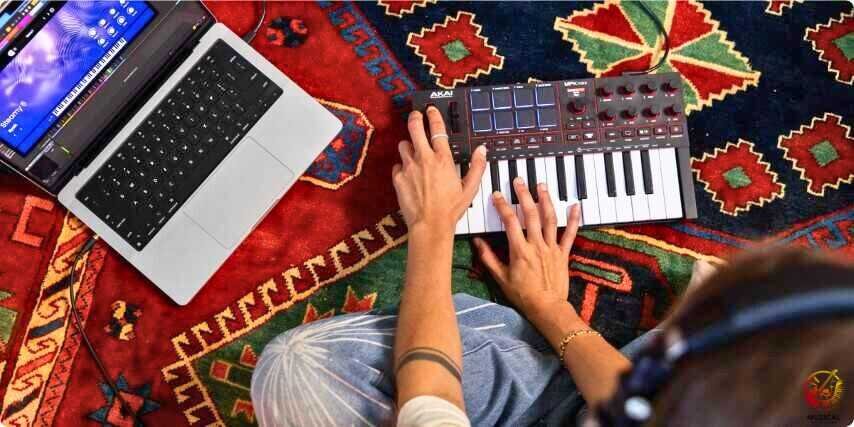
Music theory can be hard. The AKAI MPK Mini IV has tools to help you play like a pro, even if you don’t know how to read music.
Scale and Chord Modes
- Scale Mode: You pick a key (like C Minor), and the keyboard will only play notes that sound good in that key. You can’t hit a wrong note!
- Chord Mode: You press one single key, and the controller plays a full chord. This is amazing for making rich, full songs quickly.
The Upgraded Arpeggiator
An arpeggiator takes the notes you hold and plays them in a rhythmic pattern. The new Arp Freeze and Mutate functions let you lock a pattern and then change it randomly. This creates happy accidents that can spark new song ideas.
How Sturdy Is the Build Quality?
The AKAI MPK Mini IV feels sturdy. It is made of plastic, but it doesn’t feel cheap. The new design comes in Black and Gray options.
- Weight: It is very light (about 1 kg), making it easy to carry.
- Knobs: The knobs feel smooth and solid.
- Screen: The color screen is a huge improvement over the tiny black and white screen on the older MK3.
Comparison: MPK Mini IV vs. The Competition
| Feature | AKAI MPK Mini IV | Arturia Minilab 3 | Novation Launchkey Mini |
|---|---|---|---|
| Pitch / Mod Control | Real Wheels | Touch Strips | Touch Strips |
| Screen | Full Color | Small OLED | Minimal Display |
| Pads | 8 MPC Pads (Thick) | 8 Pads (Firm) | 16 Pads (Small) |
| Connectivity | USB-C + 5-Pin MIDI | USB-C + MIDI Out | USB-C + MIDI Out |
| Best For | Hip-Hop & Beats | General Production | Ableton Live Users |
How the AKAI MPK Mini IV Works With Popular DAWs?
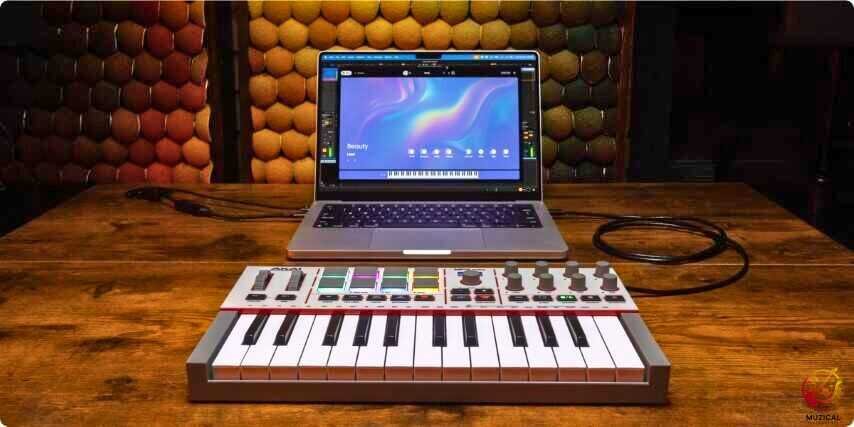
AKAI has improved the integration scripts significantly for this generation, moving away from manual mapping for the major players.
| DAW | Experience Level | Notes |
|---|---|---|
| Ableton Live | Seamless | This is the gold standard. The pads line up with Drum Rack, and the knobs snap to device macros. The OLED screen shows real-time feedback as you turn controls. |
| FL Studio | Very Good | Image-Line and AKAI work closely together. Play, Stop, and Record work natively, and the pads integrate well with the FPC drum machine. |
| Logic Pro X | Good | Works smoothly through Smart Controls, but you may need to manually map knobs for some third-party plugins. |
| GarageBand | Okay | It functions, but advanced MPK features like Note Repeat and Arp latch can feel awkward inside GarageBand’s simpler workflow. |
What Are the Main Strengths and Weaknesses?
No product is perfect. Here is an honest look at the good and the bad.
Pros
- Real Wheels: The pitch and mod wheels are a joy to use.
- Great Pads: Best-in-class drum pads for finger drumming.
- Beginner Modes: Scale and Chord modes make learning easy.
- Connectivity: USB-C and 5-pin MIDI make it “future-proof.”
Cons
- Mini Keys: The keys are small. If you have large hands or play piano, they might feel cramped.
- Menu Diving: Even with the screen, you still have to dig through menus to change some settings.
- Price: It costs slightly more than older models, but the features are worth it.
What Are The Alternatives At This Price Range?
The MPK Mini IV is the best for beats. But if you do not just tap drums, look at these others.
1. Novation Launchkey Mini (Best for Ableton)
Pick this if you use Ableton Live. It helps you make songs fast. It has smart tools that play chords for you. You can sound like a pro without knowing how to play perfectly.
- The Bad Part: The pads are small and stiff. They are not as fun to hit as the Akai pads.
2. Arturia MiniLab 3 (Best for Mixing)
Pick this if you want to mix songs. It has sliders (faders). Sliders are great for changing volume smoothly. The Akai only has knobs. This one also comes with amazing software sounds.
- The Bad Part: The keys are long and thin. Some people find them slippery to play.
3. Native Instruments M32 (Best for Keys)
Pick this if you just want to play piano parts. It has 32 keys. Most others only have 25. The keys feel much better to press than the others.
- The Bad Part: It has no drum pads at all. It is also long, so it might not fit in your backpack.
Who Should Buy This?
The AKAI MPK Mini IV is perfect for:
- Complete Beginners: The included software and “Scale Mode” help you start fast.
- Beat Makers: The pads are legendary for a reason.
- Travelers: It fits easily in a bag for music-making on the go.
If you already own the MPK Mini MK3, the upgrade is worth it just for the real wheels and USB-C. If you are a piano player who needs full-sized keys, you might want to look at a larger controller instead.
Who Should Skip It?
While the MPK Mini IV is a powerhouse, it is not the right tool for everyone. You should look elsewhere if:
- You have large hands: The keys are truly “mini.” If you have thick fingers, you will accidentally hit two keys at once. Look for a controller with “full-size” keys.
- You are a trained pianist: You will not like the spring action. It does not feel like a real piano; it feels like a toy synthesizer.
- You need mixing sliders (faders): While the knobs are great, this unit has no vertical sliders (faders). If you want to control volume levels like a mixing board, the Arturia MiniLab is a better choice.
- You hate complex software setups: The MPK Mini IV requires you to install a “Software Manager” and download several different programs to get started. It is not as simple as “plug it in and play” if you want to use all the features.
Is the AKAI MPK Mini IV Worth the Price in 2026?
In the landscape of 2026, the budget controller market is crowded. However, the AKAI MPK Mini IV remains the king of “backpack production.”
- The Verdict: Yes. The build quality has matured, and the included software bundle (MPC Beats + plugins) is worth the price of admission alone for a beginner. It isn’t just a controller; it is a complete starter studio.
- Comparison: If you prioritize software control and mixing, the Arturia Minilab might be better due to its faders and endless knobs. But if your focus is finger drumming, hip-hop production, and beat-making, the AKAI MPK Mini IV is unrivaled at this price point. It remains the industry standard for a reason: it gets the job done anywhere you go.
Final Thoughts
The AKAI MPK Mini IV proves that Akai listens to its users. They got rid of the joystick, improved the keys, and gave us a modern screen. It is a powerful, fun, and easy-to-use tool that removes the barriers to making music.
For a beginner in 2026, there is no better starting point. Plug it in, load up a sound, and start creating your own hits.
FAQ: AKAI MPK Mini IV Review
1. Do I need a computer to use the Akai MPK Mini IV?
Yes, mostly. This keyboard does not have speakers or built-in sounds. You must plug it into a computer, tablet, or phone to hear anything. However, because this new model has a “MIDI Out” port, you can also plug it into other synthesizers to control them.
2. Is the Akai MPK Mini IV hard to learn?
No, it is very beginner-friendly. It is one of the most popular keyboards for starting out. The hardest part is just installing the software on your first day. Once that is done, you just plug it in and start tapping the pads to make beats.
3. Does it work with FL Studio, GarageBand, or Ableton?
Yes! It works with almost all music software. It is famous for working perfectly with FL Studio and Ableton Live right out of the box. You can also use it with GarageBand on a Mac or iPad.
4. Can I plug headphones directly into the keyboard?
No. The keyboard does not have a headphone jack because it doesn’t make sound itself. You need to plug your headphones into your computer or laptop to hear the music you are making.
5. What is the difference between MPK Mini Mk3 and Mk4?
The biggest changes are the knobs and the screen. The new Mk4 has knobs that spin 360 degrees (endless), while the old ones stopped turning. The Mk4 also has a color screen and a new port on the back to connect to other gear.


